
How Do You Create a User-Friendly Website For Hospitals And Clinics In The US?
Creating a user-friendly website for hospitals and clinics in the United States is essential for improving patient experience, increasing appointment bookings, and building trust. A healthcare website should make it easy for visitors to find important information such as services, physician profiles, insurance details, office locations, and contact information. Clear navigation, fast loading speeds, and mobile-friendly design are critical because many patients search for healthcare providers using smartphones.
Hospitals and clinics should also focus on accessibility to ensure all users, including individuals with disabilities, can use the website comfortably. Features like online appointment scheduling, patient portals, telehealth access, and secure communication tools improve convenience and engagement. Professional design, simple language, and educational healthcare content help patients better understand treatments and services while building confidence in the provider.
Security and HIPAA compliance are also essential because healthcare websites manage sensitive patient information. Local SEO strategies, dedicated service pages, and patient reviews can improve search engine visibility and help attract more local patients. Regular website updates and performance monitoring ensure the site remains accurate and effective over time.
Overall, a well-designed healthcare website supports both patients and healthcare organizations by improving communication, usability, trust, and long-term growth in a competitive healthcare market.
Understand The Needs Of Healthcare Patients
The first step in creating a user-friendly healthcare website is understanding what patients actually need. Many healthcare websites fail because they are designed around the organization instead of the patient experience.
Patients typically visit hospital and clinic websites for specific reasons. They may want to:
- Find a doctor
- Schedule an appointment
- Check accepted insurance
- Learn about treatments
- Access patient portals
- Find office locations
- Read reviews
- Contact the facility quickly
- Access telehealth services
- Learn about emergency care
The website should make these tasks simple and fast.
Healthcare providers should think about different types of visitors as well. Younger patients may primarily use mobile devices, while older patients may need larger text and clearer navigation. Some users may have disabilities that require accessibility support.
Understanding patient behavior allows hospitals and clinics to build websites that reduce frustration and improve satisfaction.
Focus On Simple Website Navigation
Navigation is one of the most important parts of a user-friendly healthcare website. Visitors should be able to find information within a few clicks.
Complex menus and cluttered pages often confuse users. Hospitals and clinics should organize information into simple categories such as:
- Services
- Doctors
- Locations
- Appointments
- Insurance
- Patient Resources
- Contact Information
The navigation menu should remain visible across all pages. Dropdown menus should be easy to use on both desktop and mobile devices.
Healthcare websites should also include a strong internal search function. Patients often search for specific services, physician names, or medical conditions. A search tool helps users find information quickly without browsing multiple pages.
Clear navigation improves user experience and reduces bounce rates.

Optimize The Website For Mobile Devices
Most patients now search for healthcare providers using smartphones. Mobile optimization is essential for hospitals and clinics in the United States.
A mobile-friendly website automatically adjusts to different screen sizes. Text should remain readable without zooming, buttons should be easy to tap, and forms should work smoothly on smaller devices.
Healthcare websites that are not mobile responsive often lose potential patients because users become frustrated with poor functionality.
Important mobile optimization features include:
- Fast page loading speeds
- Click-to-call phone numbers
- Easy appointment scheduling
- Mobile-friendly navigation
- Simplified forms
- Optimized images
Google also prioritizes mobile-friendly websites in search rankings. A responsive healthcare website can improve both patient experience and SEO performance.
Improve Website Loading Speed
Website speed has a major impact on user experience. Patients expect healthcare websites to load quickly. Slow websites increase abandonment rates and create negative impressions.
Several factors can improve loading speed:
- Compressing large images
- Reducing unnecessary code
- Using reliable hosting
- Enabling browser caching
- Optimizing videos
- Limiting excessive animations
Hospitals and clinics should regularly test website speed on desktop and mobile devices.
Fast-loading pages are especially important for patients searching during stressful situations, such as finding urgent care or emergency services.
Create Clear Calls To Action
A user-friendly healthcare website should guide visitors toward important actions.
Calls to action help patients understand what to do next. Examples include:
- Schedule An Appointment
- Call Now
- Find A Doctor
- Access Patient Portal
- Request Telehealth Visit
- Contact Our Team
These buttons should be easy to see throughout the website.
Many hospitals place appointment scheduling buttons in the website header so users can access them from any page.
Strong calls to action improve patient engagement and increase conversion rates.
Use Professional And Clean Website Design
Healthcare websites should create trust immediately. Professional design plays a major role in building patient confidence.
A clean layout helps users focus on important information without distractions.
Effective healthcare website design includes:
- Consistent branding
- Readable fonts
- White space for clarity
- High-quality images
- Calm color schemes
- Organized content sections
- Professional physician photography
Overly aggressive popups, flashing animations, and cluttered designs can make healthcare websites appear unprofessional.
The overall design should communicate credibility, compassion, and reliability.
Make Healthcare Information Easy To Understand
Medical information can be confusing for many patients. Hospitals and clinics should avoid using overly technical language whenever possible.
Website content should explain:
- Treatments
- Procedures
- Conditions
- Insurance processes
- Patient preparation instructions
- Recovery expectations
Using simple language improves accessibility and patient understanding.
Content should also be organized using headings, bullet points, and short paragraphs.
Educational healthcare content builds trust and helps patients feel more comfortable before appointments.
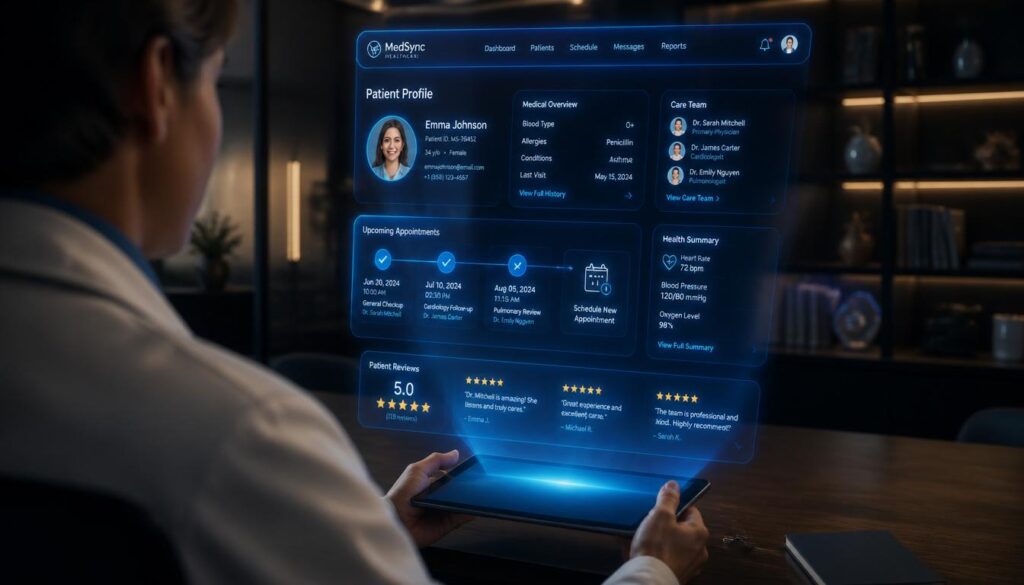
Include Online Appointment Scheduling
Patients increasingly expect online appointment scheduling options.
A user-friendly scheduling system allows patients to:
- Choose providers
- Select appointment times
- Confirm insurance details
- Receive automated reminders
- Complete forms online
Complicated scheduling systems often cause users to abandon the process.
The scheduling experience should be simple and secure.
Many healthcare organizations now integrate scheduling tools directly into their websites and mobile apps.
Convenient scheduling improves patient satisfaction while reducing administrative workload.
Improve Accessibility For All Users
Healthcare websites in the United States should follow accessibility standards to support all users, including individuals with disabilities.
Website accessibility helps patients with:
- Vision impairments
- Hearing impairments
- Cognitive disabilities
- Motor limitations
Accessibility improvements may include:
- Screen reader compatibility
- Keyboard navigation
- Alt text for images
- Color contrast improvements
- Captioned videos
- Resizable text
Accessibility is not only important for user experience but may also help reduce legal risks related to ADA compliance.
User-friendly healthcare websites should be inclusive and easy for everyone to use.
Build Trust With Physician Profiles
Many patients choose healthcare providers based on physician information.
Doctor profile pages should include:
- Professional photos
- Education background
- Certifications
- Specialties
- Years of experience
- Languages spoken
- Patient reviews
- Accepted insurance plans
Patients often feel more comfortable scheduling appointments when they can learn about providers beforehand.
Detailed physician profiles also improve SEO because they create additional relevant content for search engines.
Add Location And Contact Information Everywhere
Patients should never struggle to find contact information.
Healthcare websites should clearly display:
- Phone numbers
- Office addresses
- Maps
- Hours of operation
- Emergency contact details
- Fax numbers
- Email forms
Many users visit healthcare websites specifically to contact the facility quickly.
Clickable phone numbers and integrated map features improve mobile usability.
Multi-location healthcare organizations should create dedicated pages for each office location.

Integrate Patient Portals Securely
Patient portals have become a major part of modern healthcare websites.
These portals allow patients to:
- View medical records
- Check lab results
- Pay bills
- Communicate with providers
- Refill prescriptions
- Access treatment plans
The login process should be secure but easy to use.
Hospitals and clinics should provide clear instructions for accessing patient portals.
Portal integration improves convenience while supporting long-term patient engagement.
Prioritize HIPAA Compliance And Security
Security is critical for healthcare websites in the United States.
Hospitals and clinics handle sensitive patient information that must remain protected.
User-friendly websites should include:
- SSL certificates
- Secure forms
- HIPAA-compliant systems
- Encrypted communications
- Protected patient portals
- Strong password requirements
Patients need confidence that their information is safe.
Healthcare organizations should also regularly update website software and plugins to reduce cybersecurity risks.
A secure website supports both patient trust and legal compliance.
Use Local SEO To Help Patients Find Your Website
A user-friendly healthcare website should also be easy to find online.
Local SEO helps hospitals and clinics appear in search results when patients look for nearby healthcare services.
Important local SEO strategies include:
- Optimizing Google Business Profiles
- Creating local service pages
- Using location-based keywords
- Adding schema markup
- Earning patient reviews
- Building accurate citations
For example, a clinic in Dallas may create pages targeting:
- Family doctor in Dallas
- Urgent care near downtown Dallas
- Pediatric clinic in Dallas TX
Strong local SEO improves visibility and increases patient inquiries.
Create Service Pages For Individual Treatments
Hospitals and clinics should avoid placing all services on one page.
Dedicated service pages improve both usability and SEO.
Each service page should explain:
- What the treatment involves
- Who may need it
- Benefits
- Recovery information
- Frequently asked questions
- Related services
Examples include:
- Orthopedic surgery
- Physical therapy
- Cardiology
- Pediatrics
- Telemedicine
- Diagnostic imaging
Detailed service pages help patients understand care options while improving search engine rankings.
Use Real Patient Testimonials And Reviews
Patient reviews strongly influence healthcare decisions.
User-friendly websites often include:
- Written testimonials
- Video reviews
- Star ratings
- Success stories
Authentic reviews help build trust and reassure potential patients.
Healthcare providers should ensure testimonials comply with privacy regulations and patient consent requirements.
Positive social proof can increase appointment requests significantly.
Add Educational Healthcare Content
Educational content improves both patient experience and SEO performance.
Hospitals and clinics can publish:
- Blog articles
- FAQ pages
- Health guides
- Wellness tips
- Preventive care information
- Recovery resources
Helpful content positions healthcare organizations as trusted authorities.
Educational resources also help patients prepare for appointments and better understand medical conditions.
Healthcare content should remain accurate, updated, and easy to read.
Use Telehealth Features Effectively
Telehealth has become increasingly important in the United States healthcare system.
User-friendly healthcare websites should make virtual care simple to access.
Important telehealth features include:
- Easy appointment booking
- Clear instructions
- Device compatibility information
- Secure video platforms
- Technical support resources
Patients should understand how virtual appointments work before scheduling.
Well-integrated telehealth services improve convenience and accessibility.
Simplify Insurance Information
Insurance confusion is a major frustration for many patients.
Healthcare websites should clearly explain:
- Accepted insurance providers
- Payment policies
- Financing options
- Billing contacts
- Coverage verification processes
Patients appreciate transparency about healthcare costs and insurance procedures.
Clear billing information can reduce administrative calls and improve patient satisfaction.
Include Frequently Asked Questions
FAQ pages improve user experience by quickly answering common patient concerns.
Healthcare FAQs may include:
- How to schedule appointments
- Insurance questions
- Visitor policies
- Telehealth instructions
- Prescription refill processes
- Medical records requests
Well-organized FAQ sections reduce confusion and save staff time.
FAQ content can also improve SEO by targeting question-based searches.
Use Analytics To Improve Website Performance
Hospitals and clinics should regularly monitor website performance.
Analytics tools help organizations understand:
- Which pages receive the most traffic
- Where users leave the site
- Mobile performance
- Conversion rates
- Appointment booking behavior
- Popular search terms
Data-driven improvements help healthcare websites evolve over time.
Continuous optimization leads to better patient experiences and stronger marketing results.
Keep Website Information Updated
Outdated healthcare information creates frustration and damages credibility.
Hospitals and clinics should regularly review:
- Office hours
- Physician listings
- Contact details
- Insurance information
- Service availability
- Staff bios
- Blog content
Accurate information improves trust and prevents patient confusion.
Healthcare websites should have dedicated staff or marketing teams responsible for content management.
Reduce Website Clutter
Many healthcare websites overwhelm users with too much information on a single page.
User-friendly websites prioritize clarity and organization.
Hospitals and clinics should:
- Use short paragraphs
- Break up content with headings
- Avoid excessive popups
- Limit distracting elements
- Use simple page layouts
Clean websites feel easier to navigate and more professional.
A focused design improves engagement and helps users complete important tasks faster.
Make Emergency Information Easy To Find
Emergency care information should always be visible.
Hospitals should clearly display:
- Emergency room locations
- Emergency phone numbers
- Wait times if available
- Urgent care options
- After-hours instructions
Patients visiting during urgent situations need immediate access to critical information.
Easy-to-find emergency resources improve patient safety and usability.
Support Multiple Communication Methods
Different patients prefer different communication methods.
Healthcare websites should offer:
- Phone support
- Contact forms
- Live chat
- Secure messaging
- Appointment requests
- Email communication
Providing multiple communication options improves convenience and accessibility.
Fast responses also improve patient satisfaction.
Invest In Professional Healthcare Website Development
Creating a successful healthcare website often requires professional expertise.
Experienced healthcare web developers understand:
- HIPAA compliance
- Accessibility standards
- SEO best practices
- Mobile optimization
- Healthcare user behavior
- Secure integrations
Professional website development can improve both patient experience and business growth.
A poorly designed healthcare website may reduce trust and limit patient acquisition.